How to use nicknames in Apple Contacts
If you have a nickname for someone — "Mom," "Her Grace," whatever — you don't need to set it as their primary name in Contacts on Apple devices.
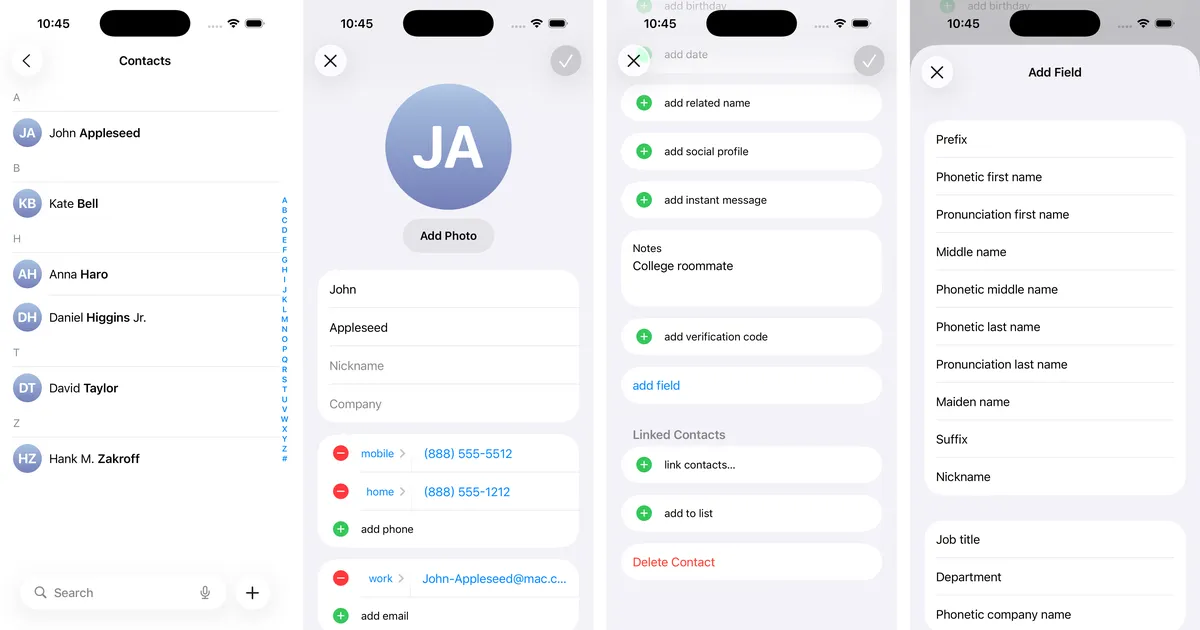
Instead, use the Nickname field. Enter their real first and last name as usual. Then scroll down to "add field" and select "Nickname."
The nickname becomes the primary name that shows up in iMessage, Phone, and other apps. It also works with Siri. "Hey Siri, call Her Grace" dials my fiancée.